







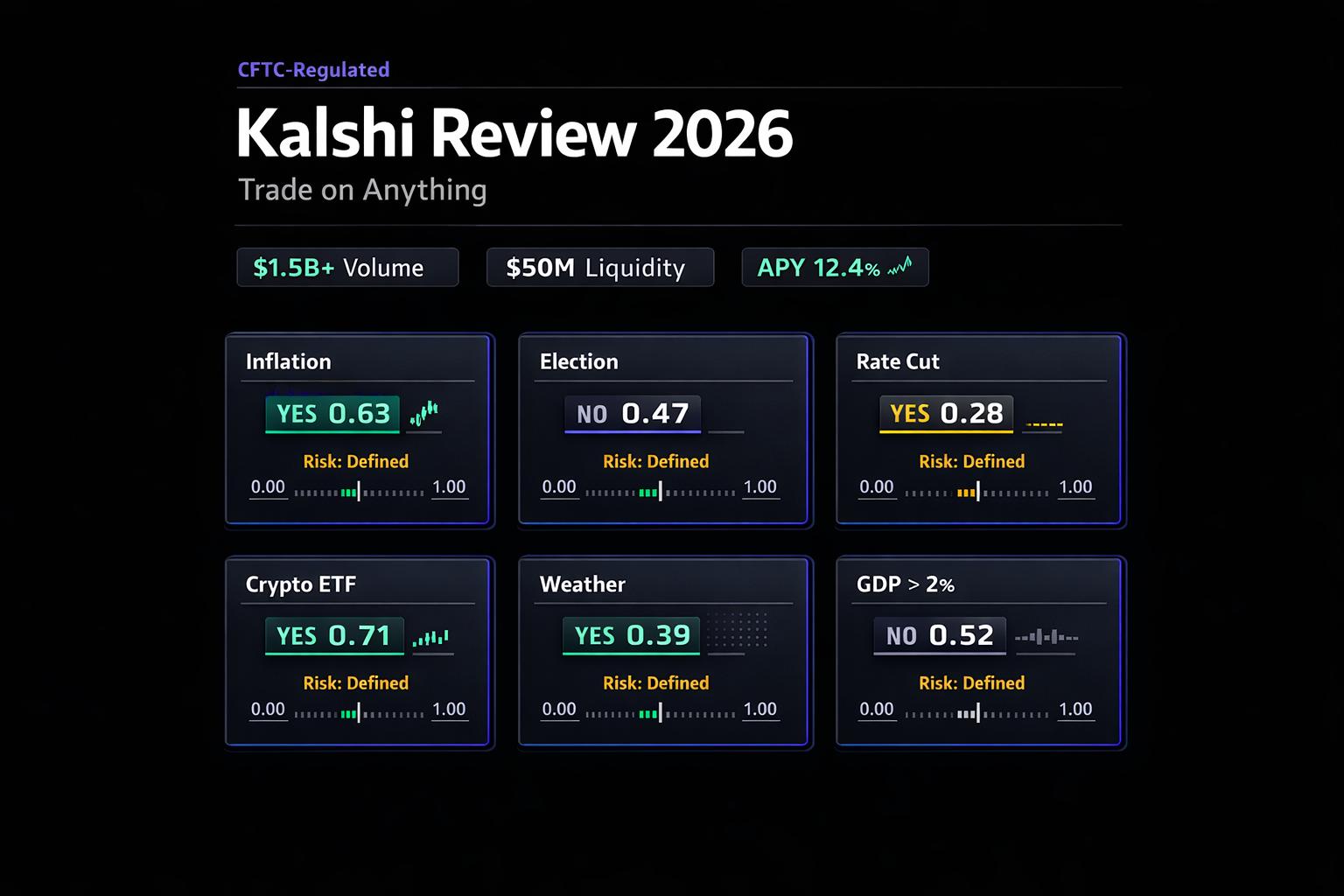
Kalshi Review 2026: Trade on Anything
CFTC-regulated prediction market review: markets, fees, APY, liquidity, risks, and trading tips.
Read article →
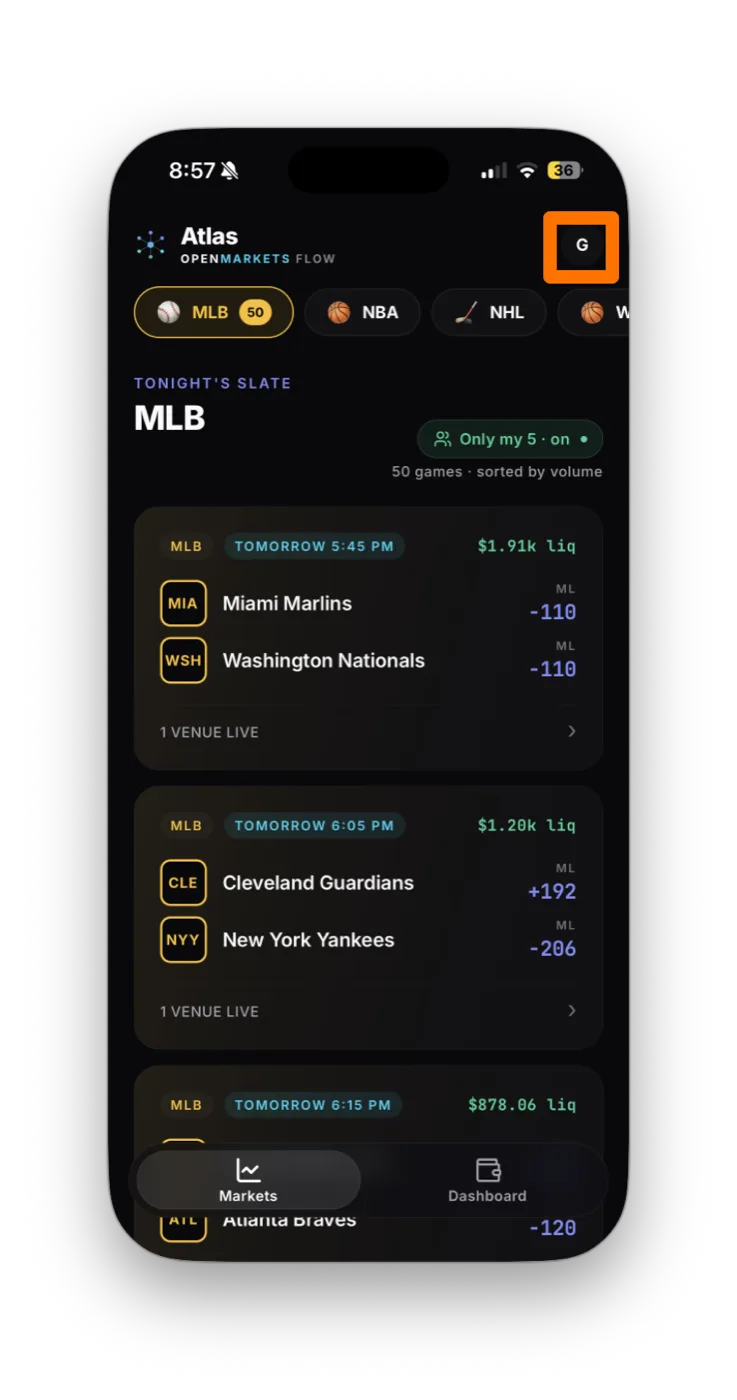
Link your Kalshi account so its markets line up next to every other venue in OpenMarkets and your trades route there at your direction. About 5 minutes: the OpenMarkets parts are quick; most of the work happens in Kalshi.
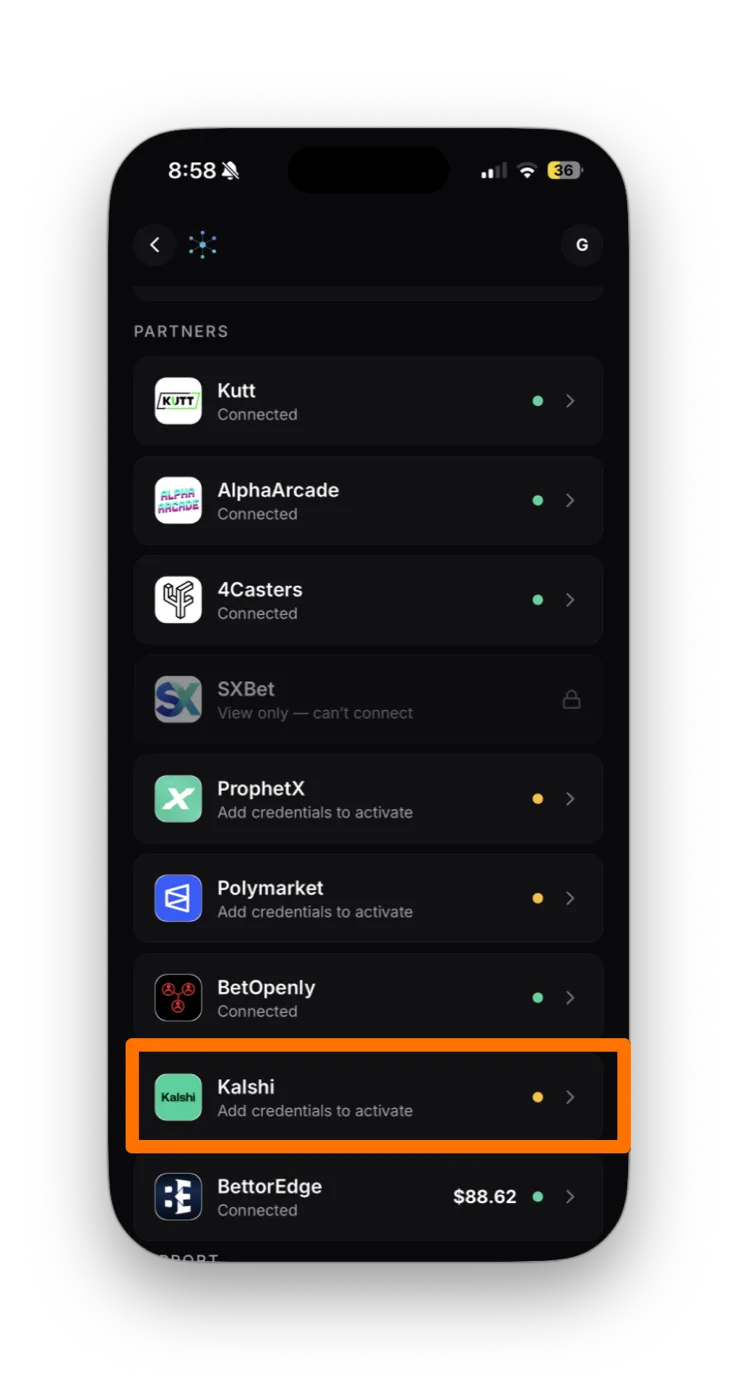
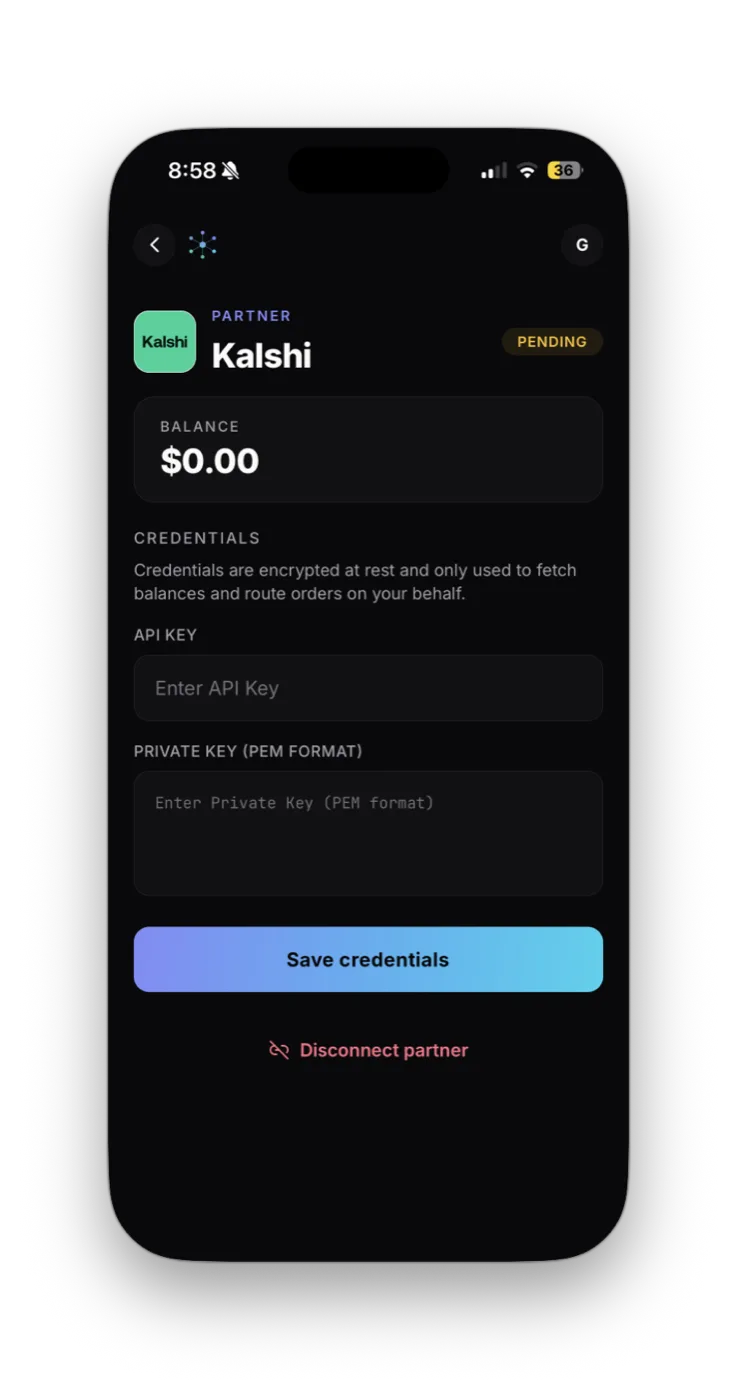
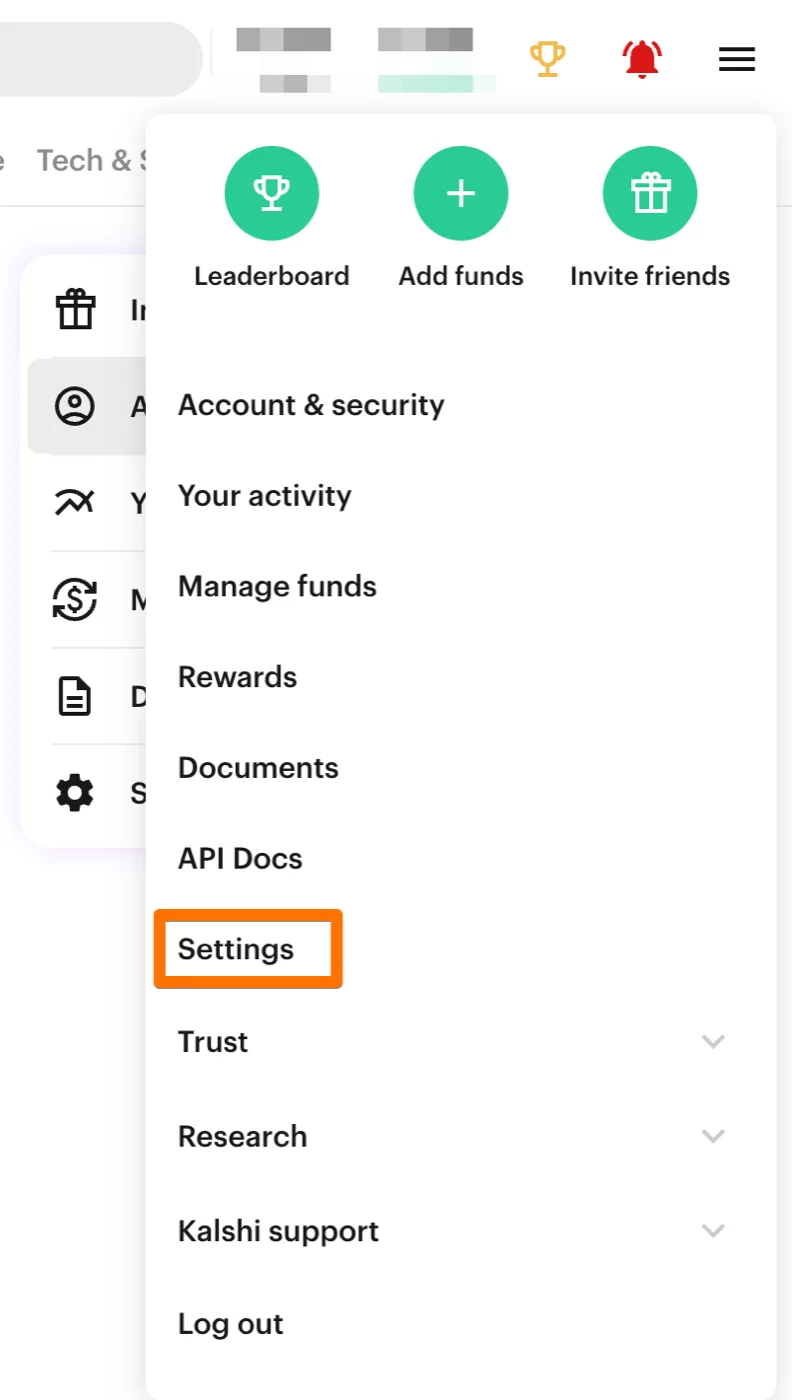
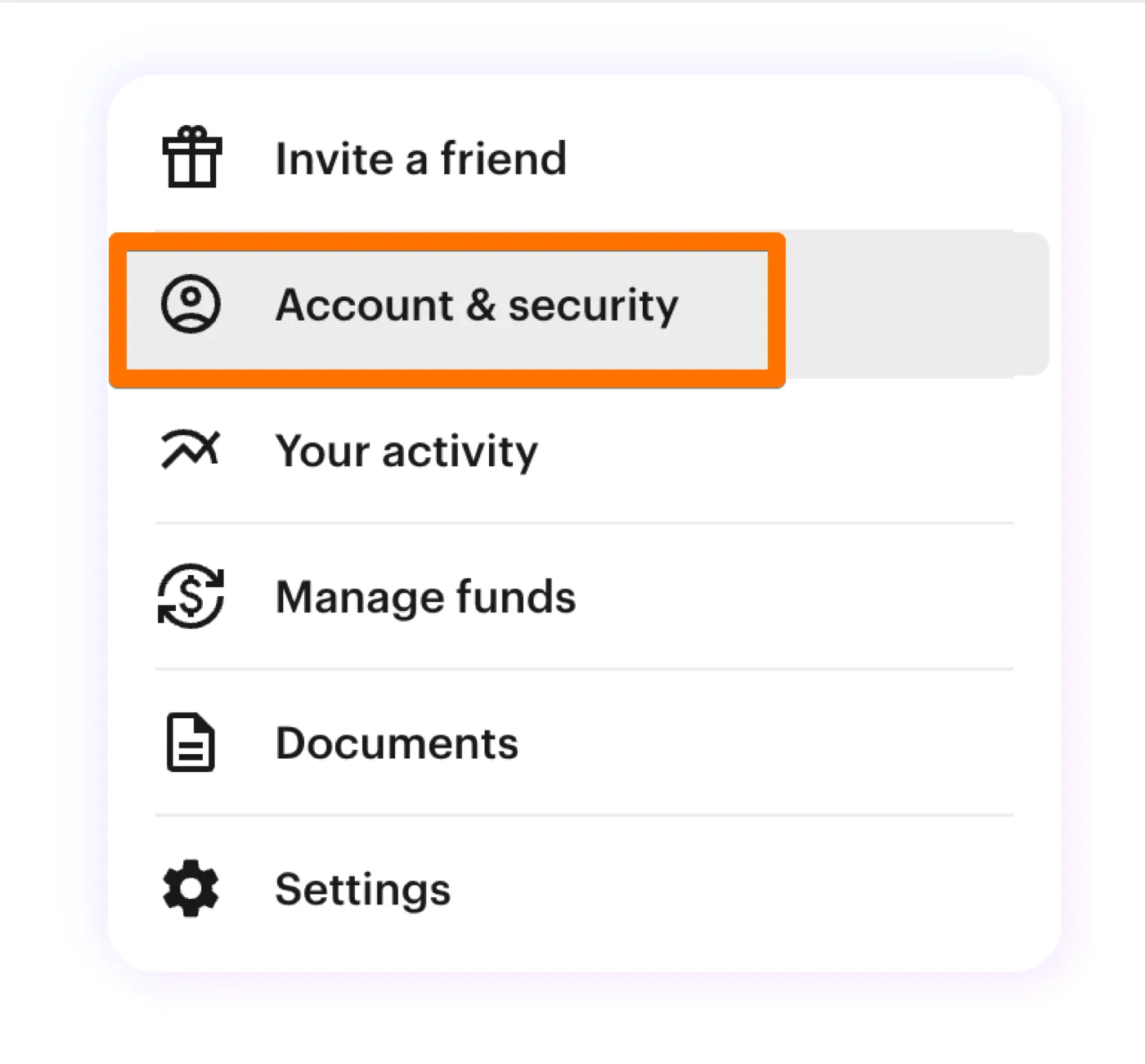
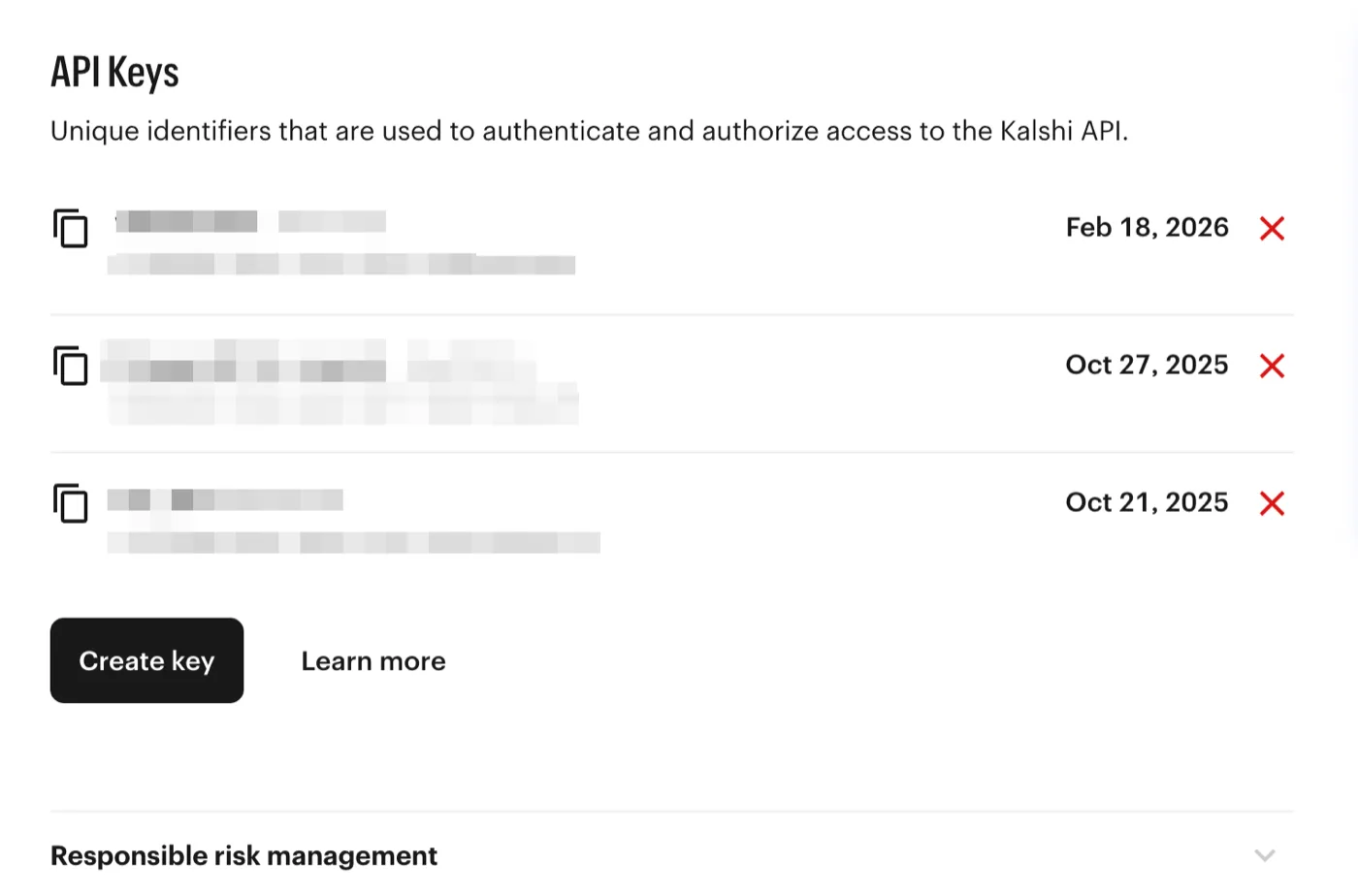
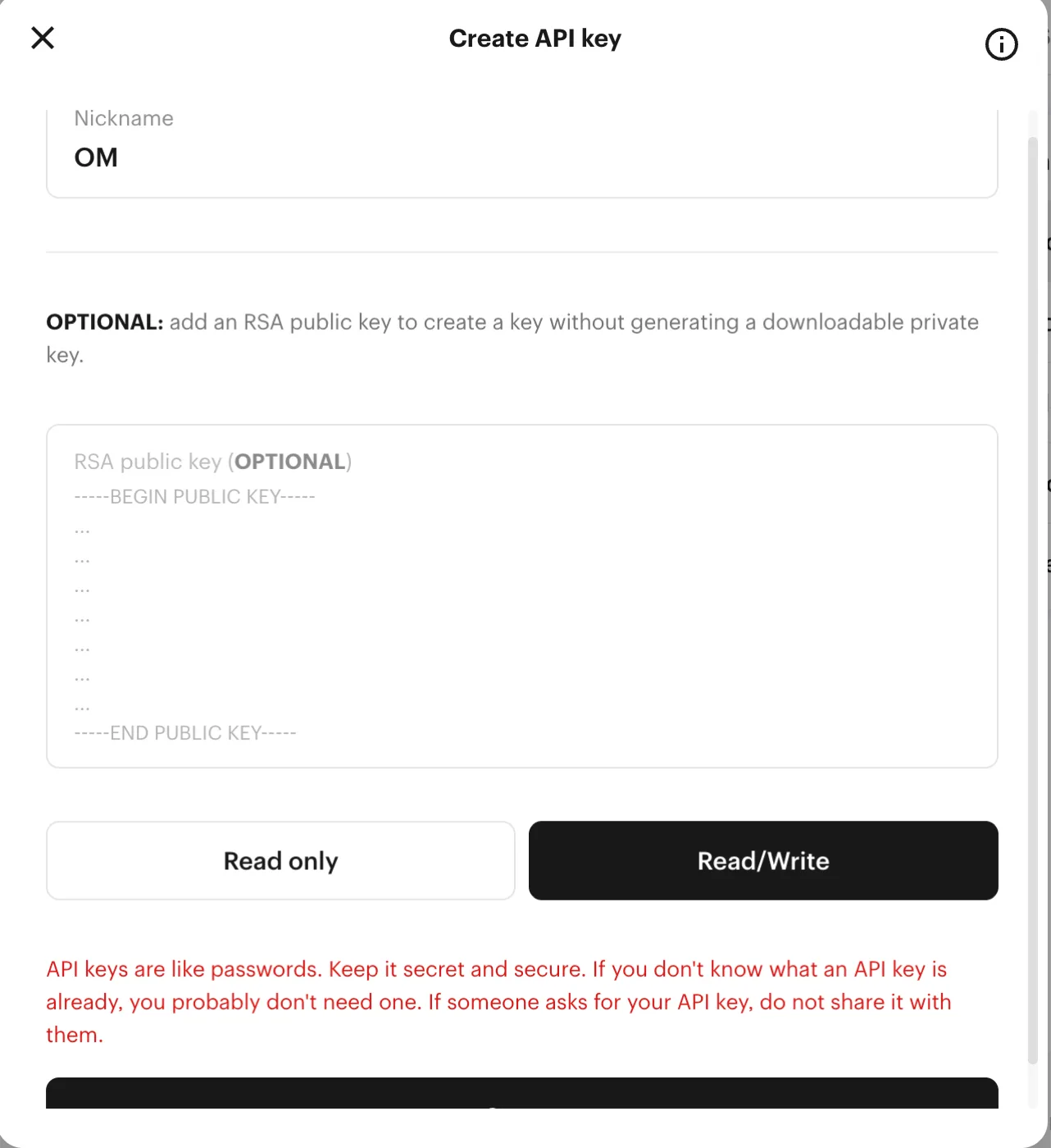
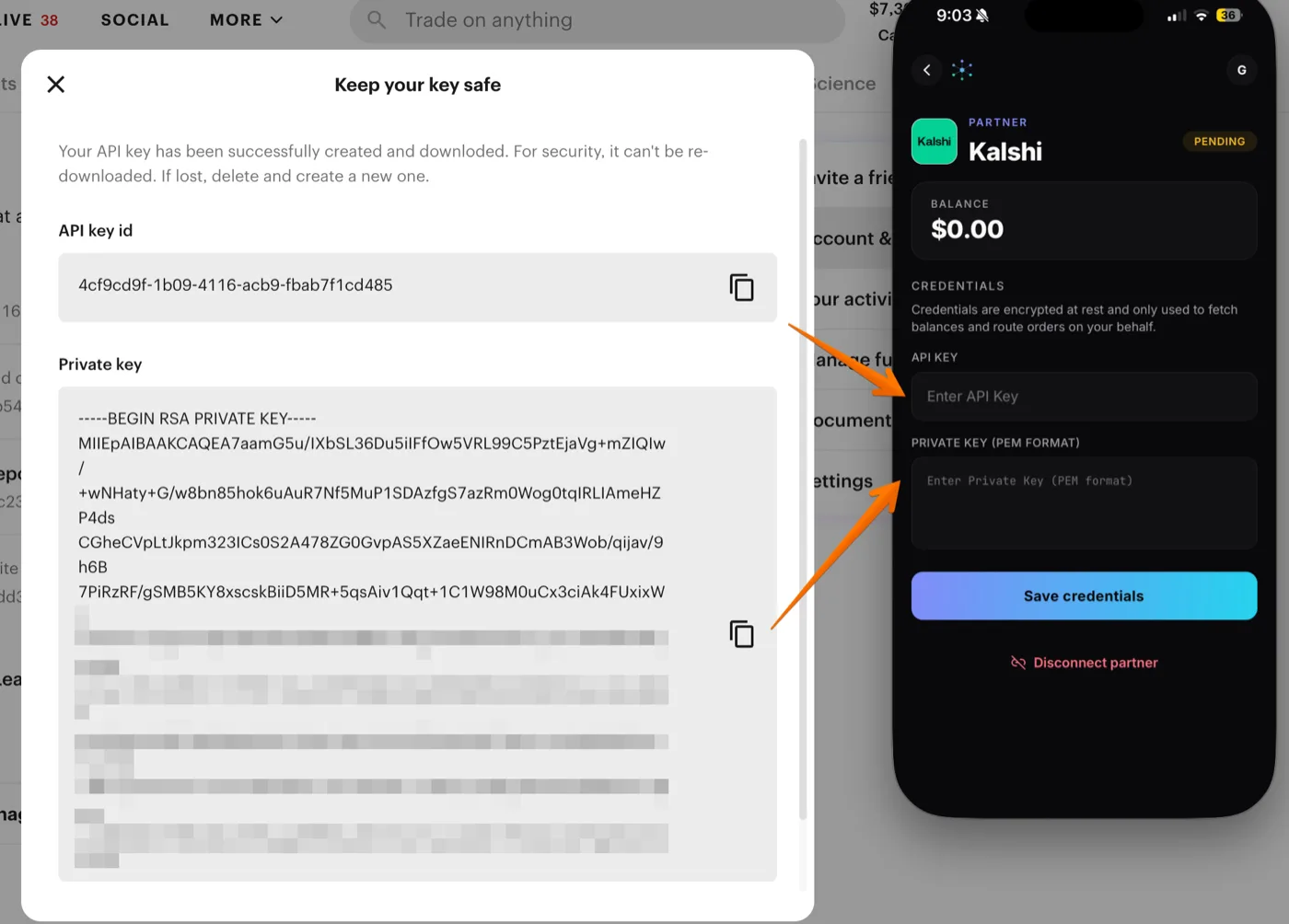
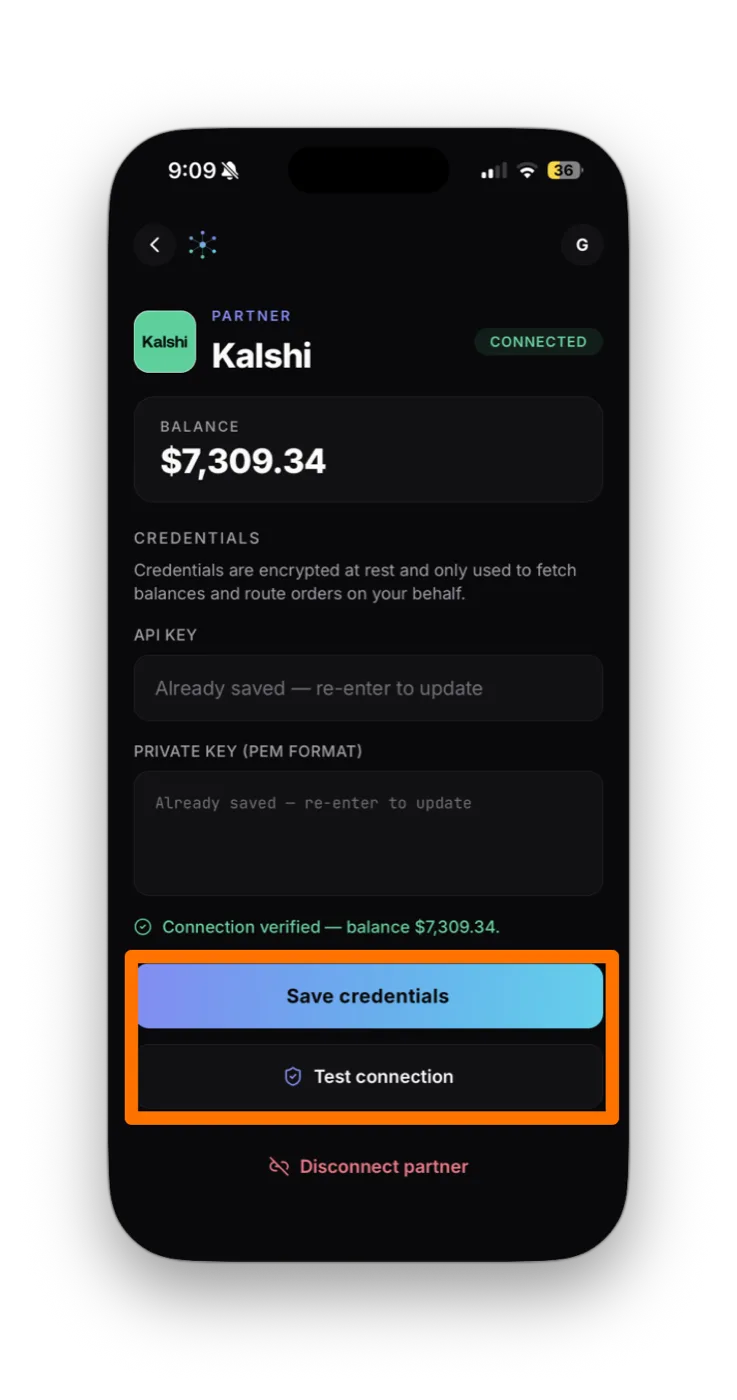
The Kalshi card flips from "Add credentials to activate" to Connected with a small green dot. Your balance shows next to the name, and Kalshi markets start appearing in your slate alongside every other venue. That's the whole point of OpenMarkets: one view, every market.
-----BEGIN RSA PRIVATE KEY----- and -----END RSA PRIVATE KEY----- headers. Paste it whole. If the values look right, regenerate the key in Kalshi and try again.In OpenMarkets, open the Kalshi partner card and tap Disconnect partner. That removes the encrypted credentials from OpenMarkets. Kalshi itself isn't notified. For belt-and-suspenders, also delete the OM key on Kalshi's side: Account & security → API Keys → red ×.
Your credentials are encrypted at rest in OpenMarkets and only used to fetch balances and route the orders you tap. The key never leaves the OM backend except to talk to Kalshi, and you can revoke on either side at any time.
If a screen doesn't match these steps, Kalshi may have updated its flow. Email support@openmarkets.ai.
← All venues