

Connect Polymarket
Polymarket runs on USDC on Polygon and signs every trade with the wallet that holds the funds, so connecting it requires a wallet private key. Use a dedicated trading wallet, not your main wallet. About 10 minutes if you're setting up the wallet for the first time.
Polymarket 3 steps
- Create a brand-new wallet specifically for Polymarket (e.g. a fresh MetaMask account or a new Coinbase Wallet profile). Do not reuse a wallet that holds anything else.
- Move only the USDC you want to trade into the new wallet on the Polygon network.
- Sign in to polymarket.com with this dedicated wallet so Polymarket recognises it.
OpenMarkets 3 steps
- In OpenMarkets, tap the partner icon (top right of the Markets screen) to open the partners list.
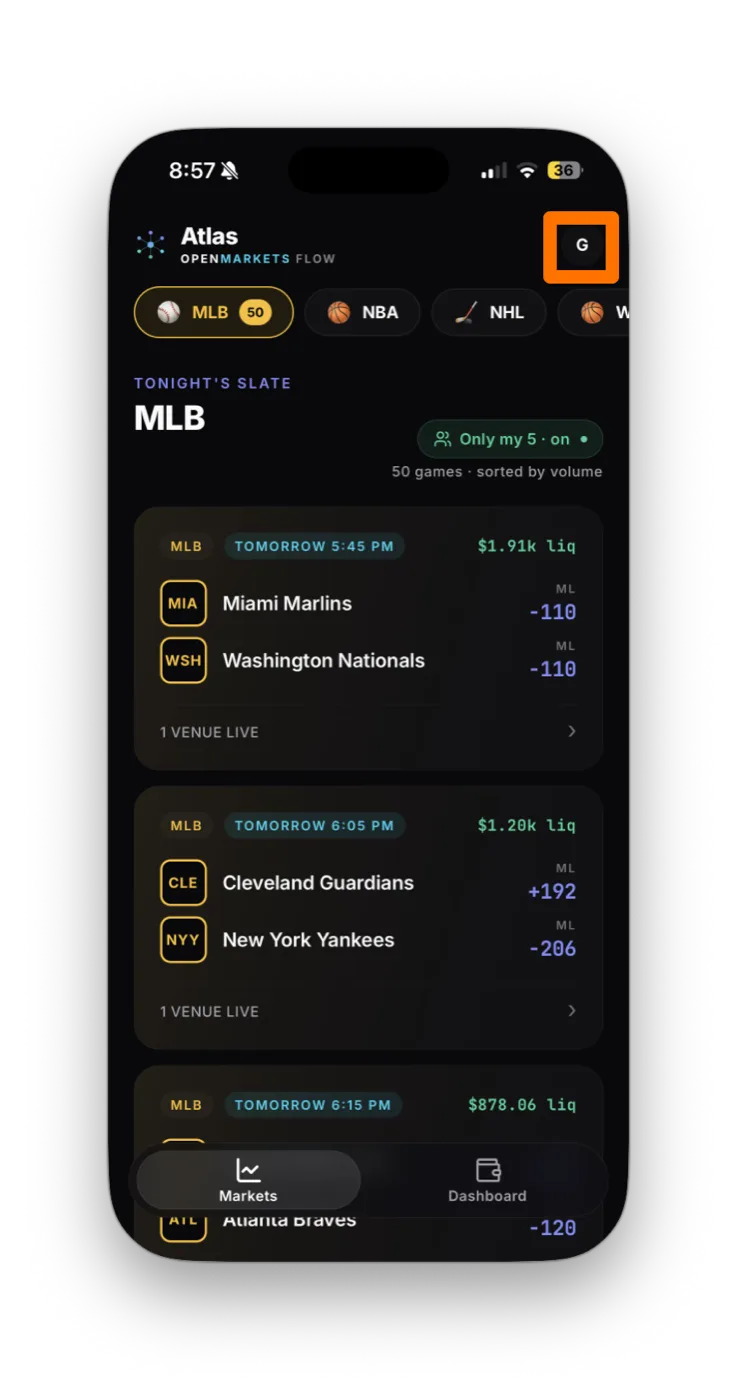
- Find Polymarket in the partners list and tap it.
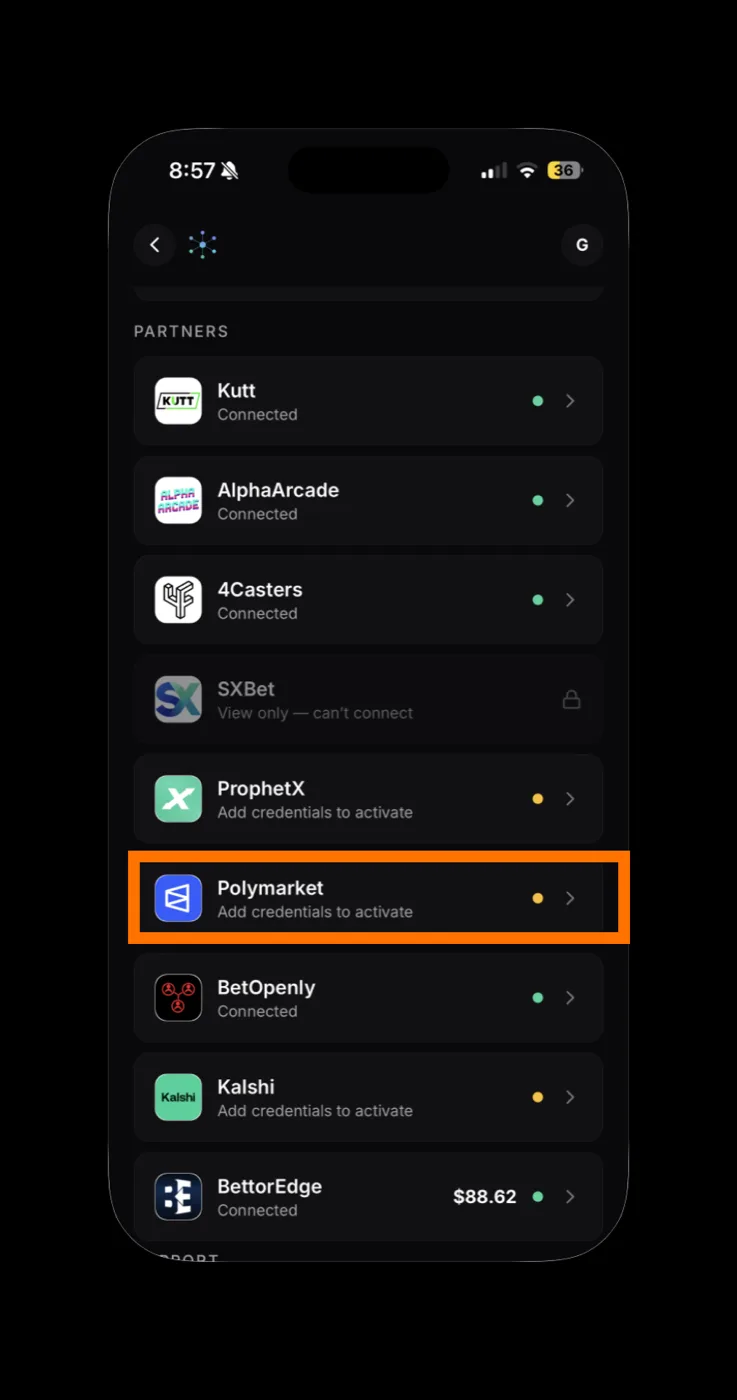
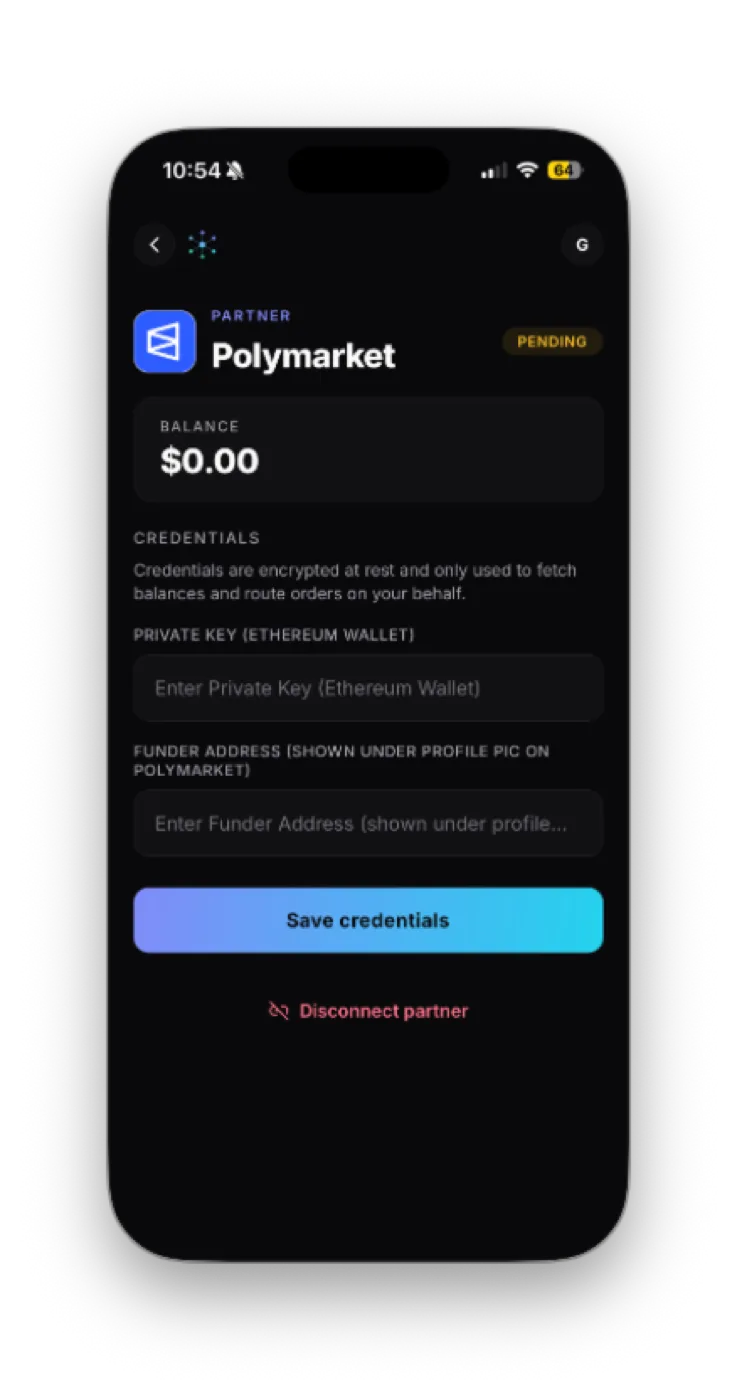
Polymarket reads "Add credentials to activate" until it's connected. - Polymarket's connect form opens with two fields: Private Key (Ethereum Wallet) and Funder Address. Leave it on this screen.
Polymarket 2 steps
- On polymarket.com, click your profile picture (top-right). Your Funder Address is shown under the avatar. Copy it.
- Open your dedicated Polymarket wallet and export its private key.
OpenMarkets 1 step
- Back in OpenMarkets: paste the Private Key and Funder Address, then tap Save credentials and Test connection.
How to know it worked
The Polymarket card flips to Connected with a green dot, your USDC balance shows, and Polymarket markets appear in your slate.
If something goes wrong
Test connection failed
Balance shows $0 but I have USDC
I want to rotate the wallet
Should I really paste my private key?
Disconnecting Polymarket
In OpenMarkets, open the Polymarket partner card and tap Disconnect partner. That removes the encrypted key from OpenMarkets. For full hygiene, also move the funds to a new dedicated wallet and use that going forward. Once a private key has been pasted anywhere, treat it as exposed.
Your private key is encrypted at rest in OpenMarkets and used only to sign Polymarket transactions for the orders you tap. The key never leaves the OM backend except to sign transactions. Even with this protection, the right posture is to use a dedicated wallet so the key only ever controls funds you're actively trading.
Connect your other accounts








If a screen doesn't match these steps, Polymarket may have updated its flow. Email support@openmarkets.ai.
← All venues